COLOSSYAN
COLOSSYAN
An AI avatar editor allowing you to create interactive experiences
Real-time Conversational Avatars with Interactive Visuals
At Colossyan I’m leading a new product initiative (greenlit after presenting my market research and product pitch to the CEO) that involves real-time lifelike AI avatars that can visualise information as they speak. Essentially real-time presentation generation. This new product gives a personal touch to the LLM as you no longer have to communicate with AI models via chat messages, there’s a face now to the model and it can show information naturally just like a person would present it. This has the potential to disrupt fields like search, teaching, marketing and sales enablement and many more.
How it works
In the background there’s the real-time stream of the realistic AI avatar that is combined with a web canvas on top of it. This web canvas can visualise information using pre-created web components like lists, topic, images with title and description,links and charts.They can be interactive as well enabling you to click on the topic you want to hear more about, or visit the link that was presented.

Process
Apart from coming up with the initial product pitch the most exciting part of the project was understanding how information is visualised when there’s a “human” presenter involved. Topics for example are presented around the presenter in circular bubbles where bubbles can also go partially behind the presenter (without obstructing or hiding information) emphasising that they are situated in space. They can also be clicked allowing you to advance the conversation and have wobble physics so they gently move as you move your cursor over them. This makes information a living and interactive part of the whole experience.

Interactive information bubbles presented around the presenter
List are visualised side-by-side and notice how the presenter moves to the side (in real-time) to make room for the content. The contents of the list items (title, description and image) and the presenter’s speech is generated by an AI model (LLM) in real-time.

List are visualised side-by-side. Notice how the AI presenter moved to the side (in real-time) to make room for the content.
AI Video Creator
This was a project that enabled users to create videos using AI. Users can prompt the LLM on what video to create or upload a document as the source material. They can also add interactive elements like quizzes and branching navigation.
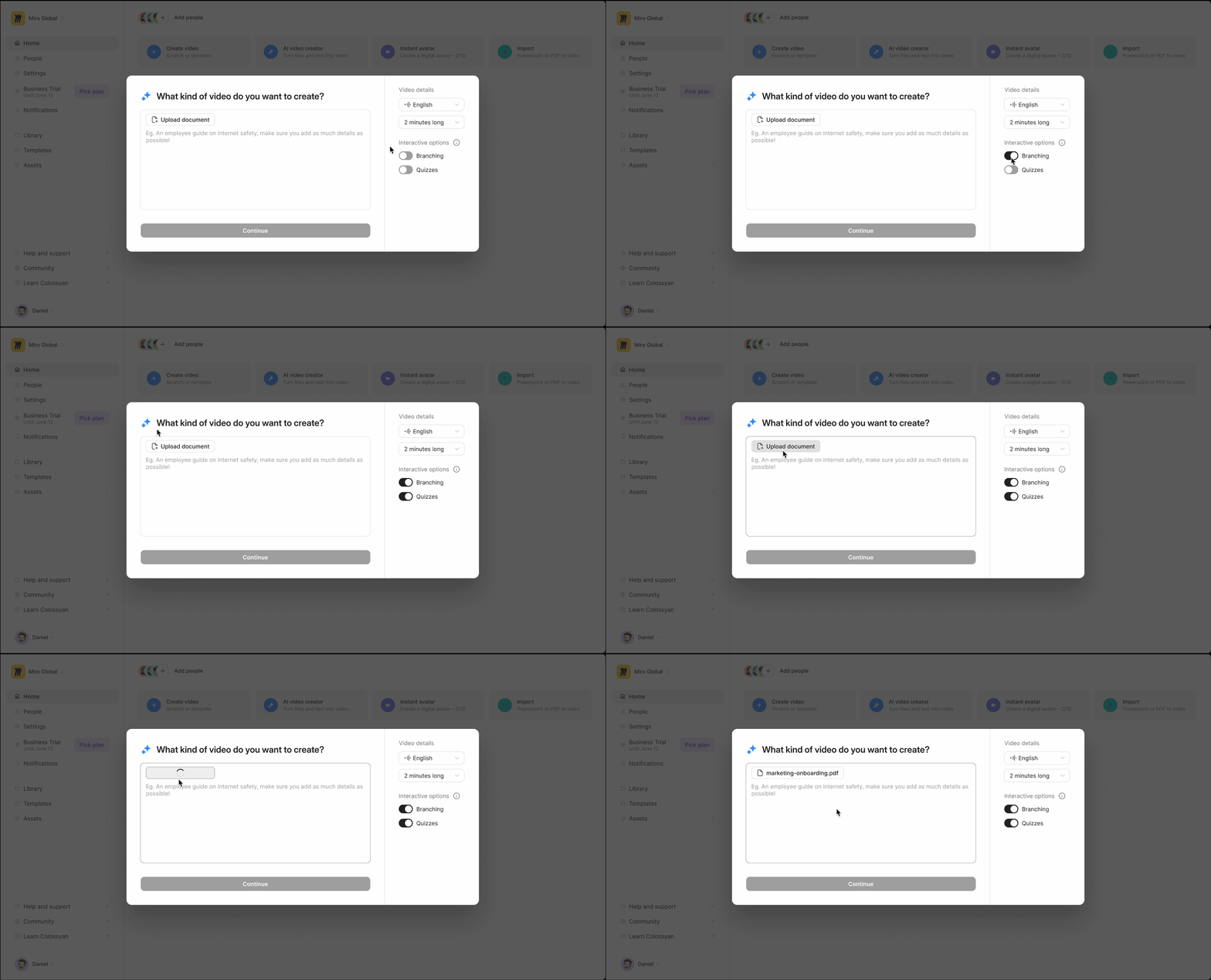
The final outcome of the project enabling you to upload or prompt to create your ideal video
First Iteration
The initial idea was to combine all of the different types of video creation into one interface. You could start by uploading a file, prompting the LLM, or by writing an exact script. After a round of user tests we realised that this kind of segmentation complicated things as users struggled to find the correct tab for their use case.
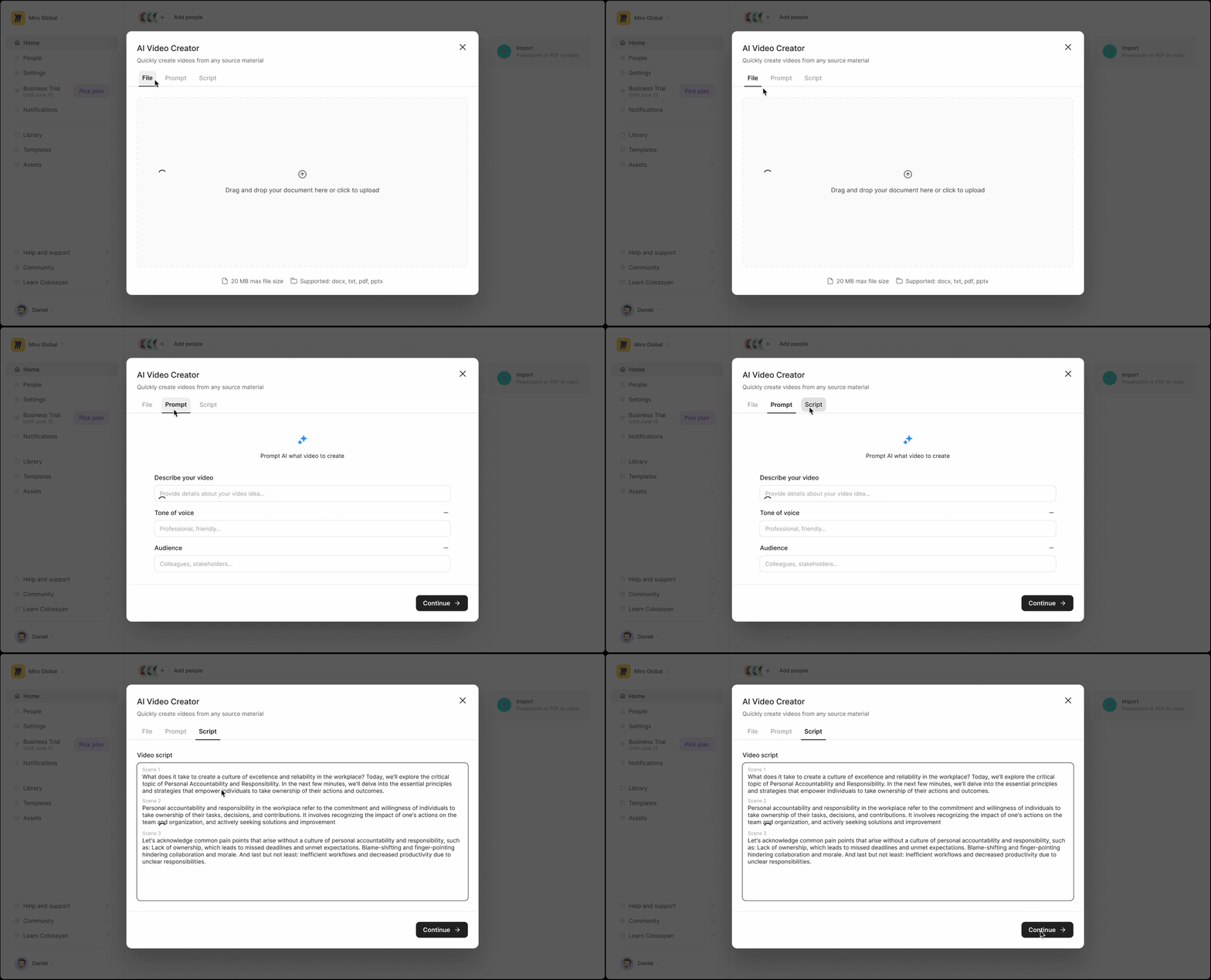
The initial prototype we tested
Another part of the project was improving what comes after the user specified what kind of video they want to create. The next step in the user journey was choosing a template that would define the look of the video. For this part I reworked the template selector and introduced sorting options by identifying the most important characteristics users were looking by looking at our data metrics. After that there was a fairly long loading process, to make this step more engaging I created a tips & tricks slideshow that would surface useful hints in video format while the user was waiting. Here the tips shown were selected based on what brings the most user value towards our activation metric.
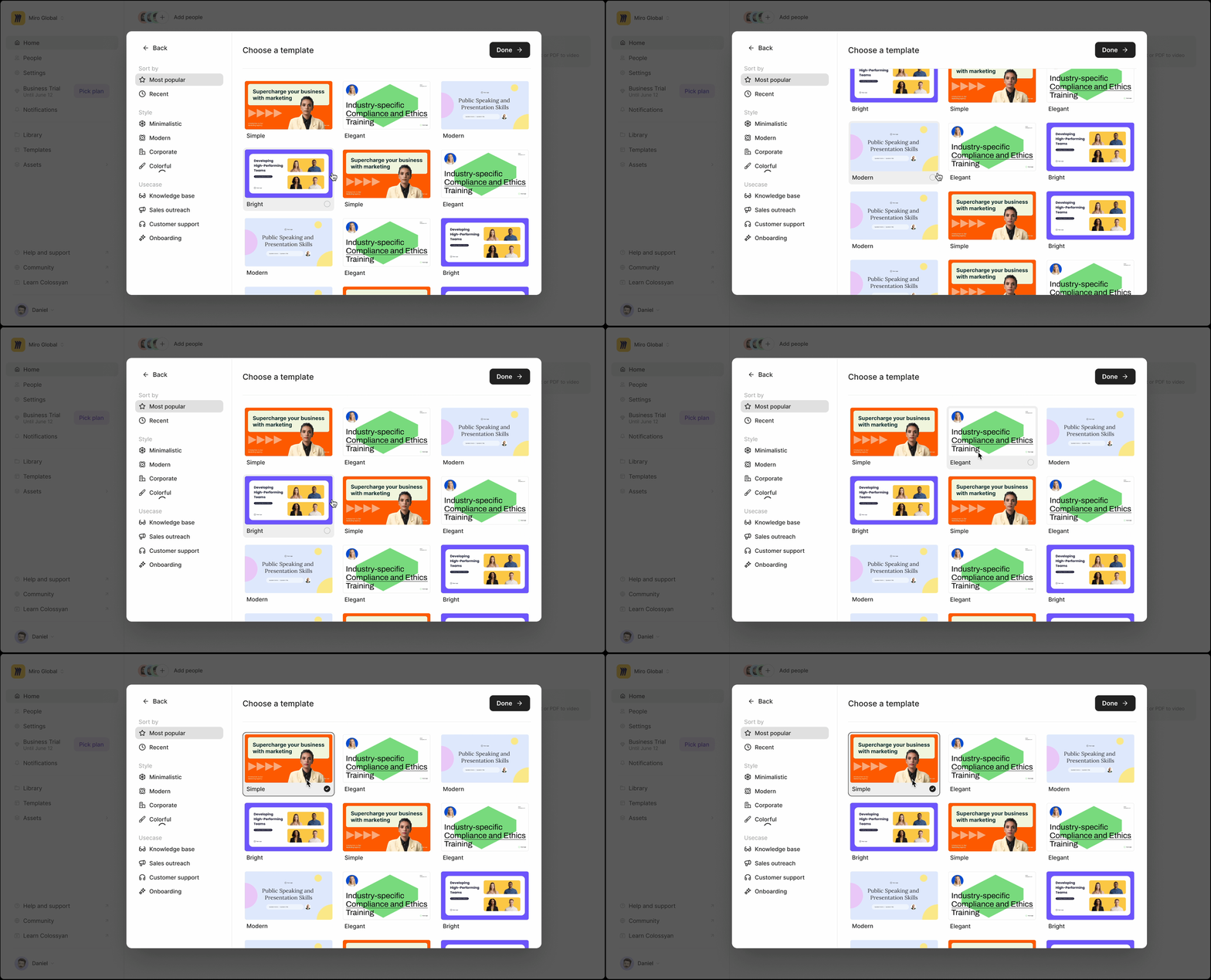
The reworked template chooser

The loading screen in action
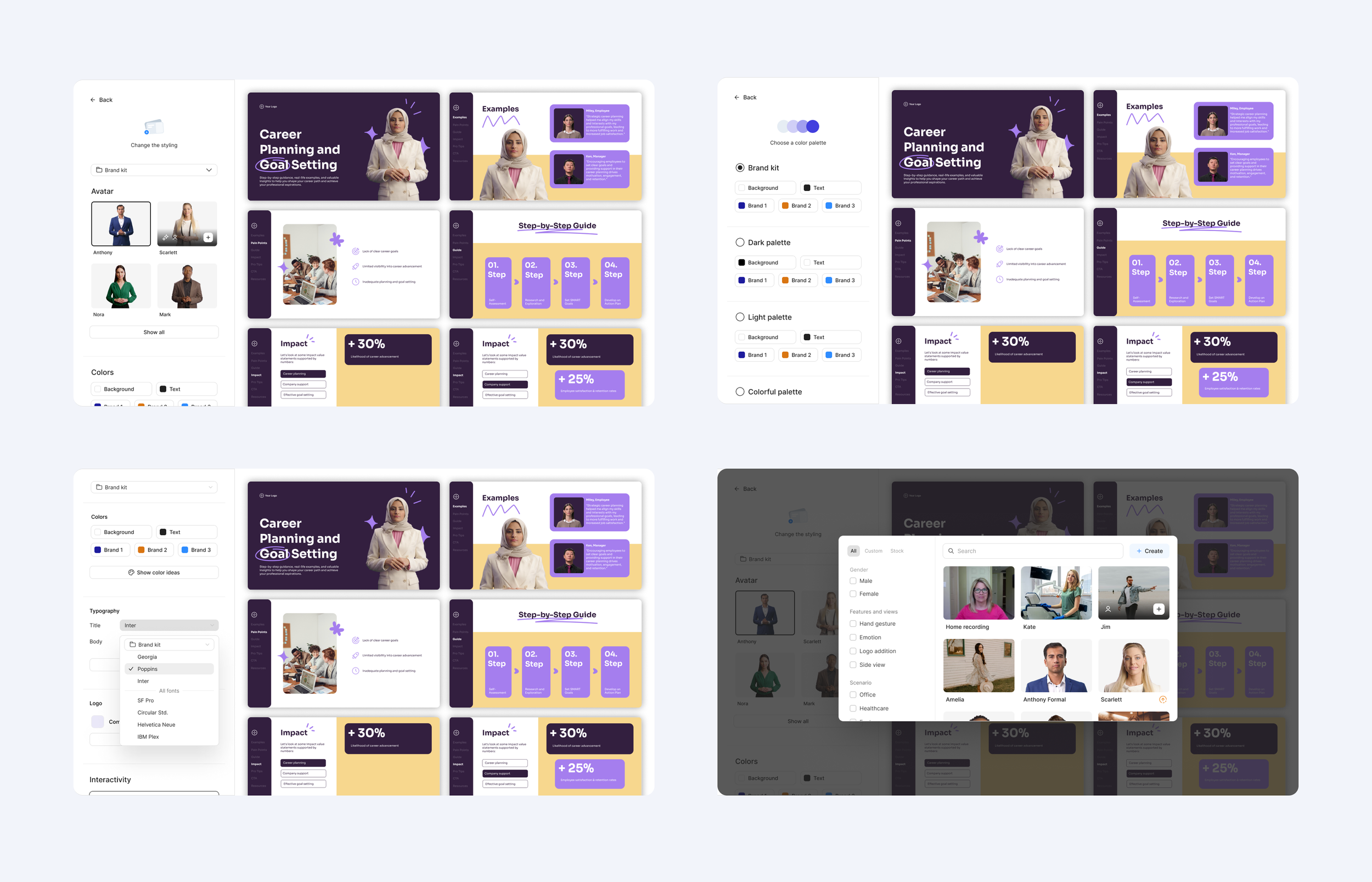
I’ve also experimented with a more through rework for the video creation process where instead of templates users were able to define the visual look of the video by setting up different parameters such as the avatar presenting, fonts used and the color palette. The outcome of their choices would be visualised immediately on the right side, giving them a real-time preview. This project was unfortunately scope cut but hopefully will be implemented on a later date.
Interactive Element Customization
This was a project that enabled you to style interactive components such as branching and quizzes to your liking. It was especially important to comply to brand guidelines so each customer could style them to match their own corporate look. Since our users are not designers I set out to simplify the styling process to the absolute maximum possible by coming up with automation rules that figure out the necessary details.
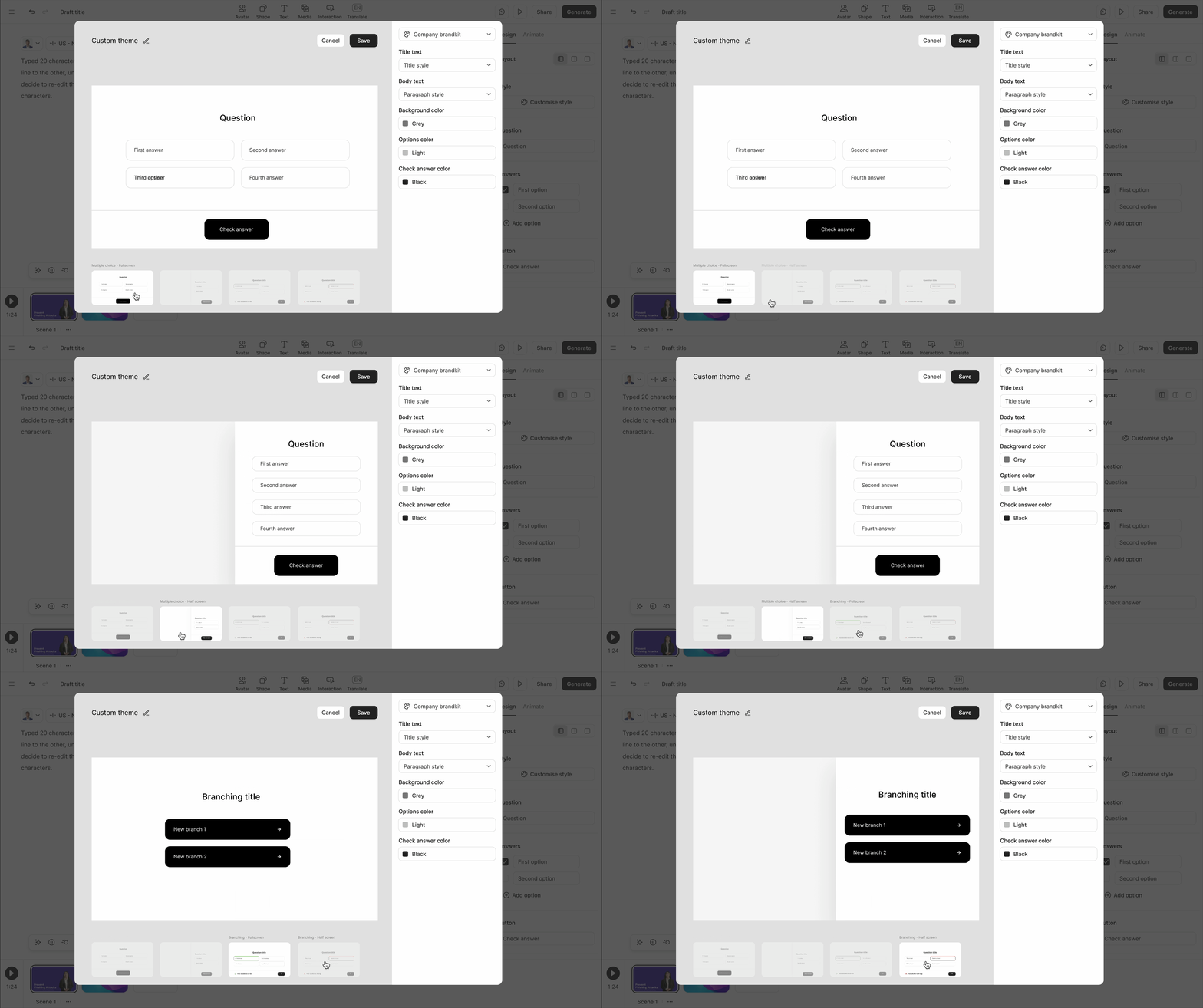
The final outcome of the project with just a few settings you can customise your interactive component.
Process
When first starting the project I was under the (later turned out to be) false impression that users wanted to have detailed customization options. So I created an accordion style layout where users could click on any element on the canvas an set up its look in every possible way. Upon user testing this solution and user intel coming in from corporate clients we realised that we needed something much simpler as the only thing that mattered is to apply the brand kit and quickly if possible. Unfortunately this information only came at a later date but I learned a lot from this initial prototype. It made me realise how quickly this feature can get complicated and what parts should and could be automated.
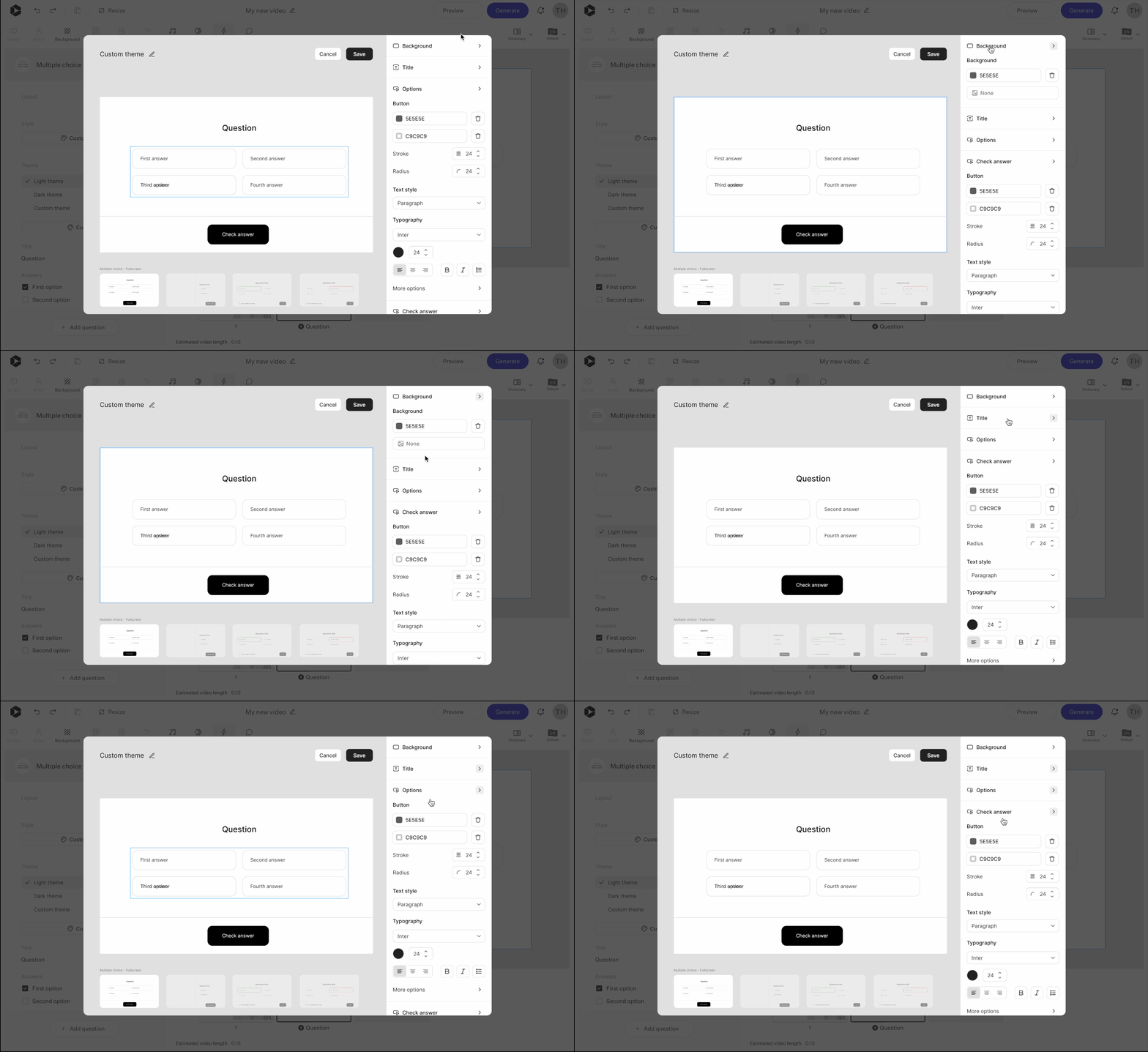
The accordion style layout with detailed customization options.
After this prototype I set out to define the most important characteristics that define a brand look and wrote a detailed documentation on how to automate this process. By defining two types of fonts and three types of colors the whole componet can be styled. Hover states are automatically calculated based on the base color and more neat tricks. I also introduced a smart apply button that did all of this in one click by identifying what colors worked the best for the background and CTA color.
I also coded this prototype to show how this logic works in action:
https://button-generator-2.vercel.app/
Avatar Page
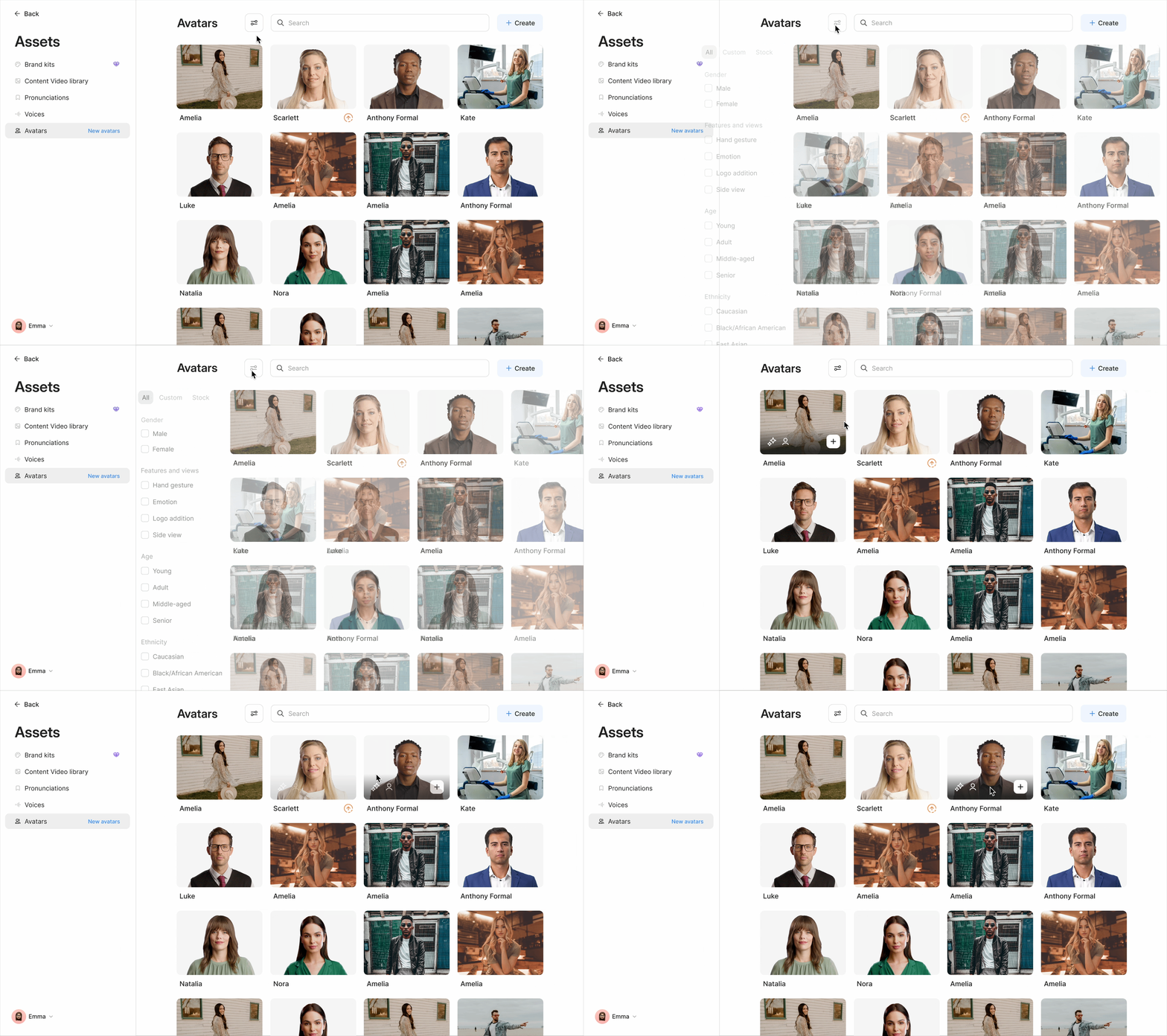
A project to redesign the avatar library page on the home dashboard. The goal was to have easily hideable filtering options.
Creating Your Own Avatar
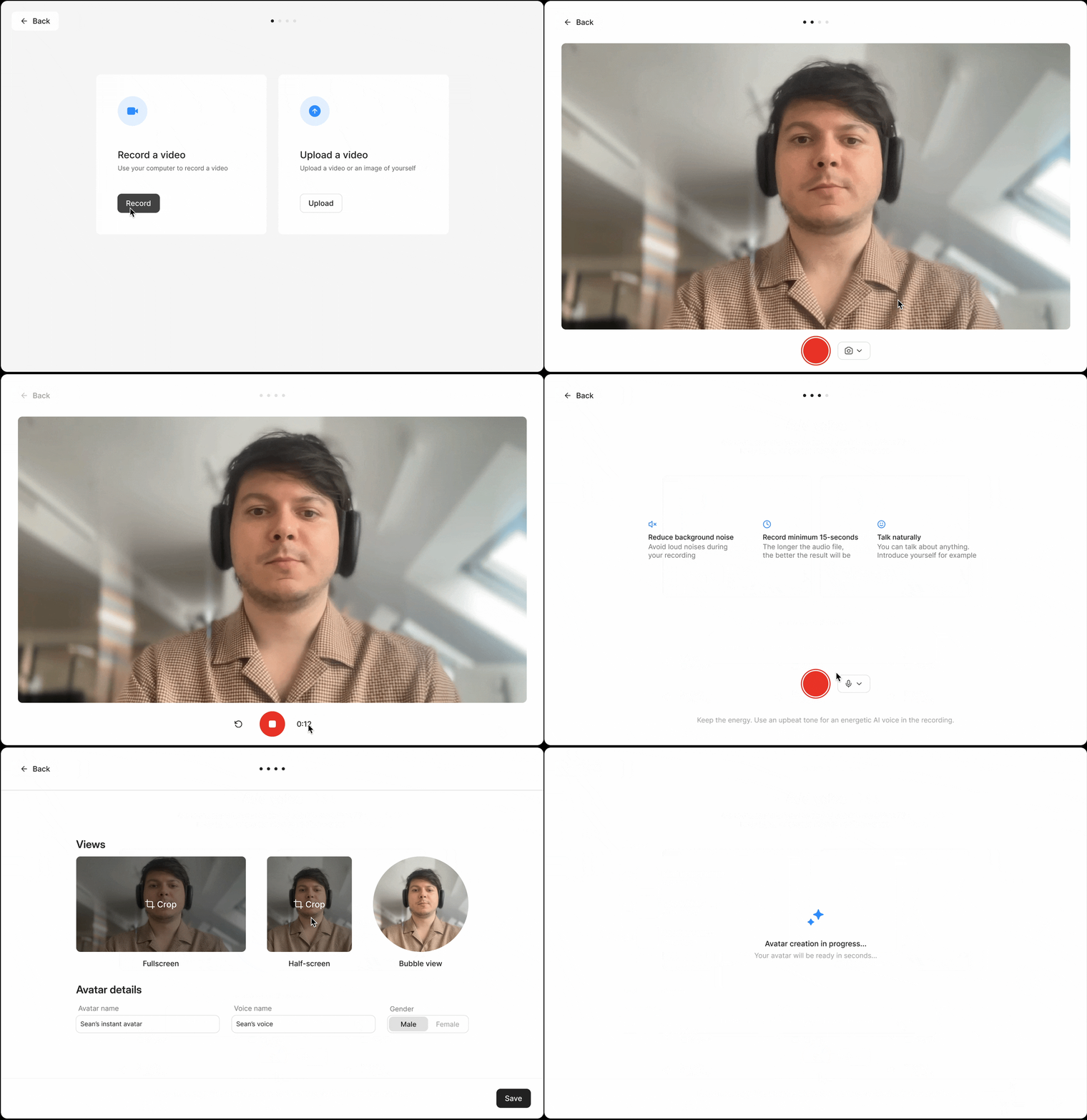
This was a project to let users create an avatar based on themselves.